
NAS Learnings: From Zettlab to UnRaid and necessary apps for your setup
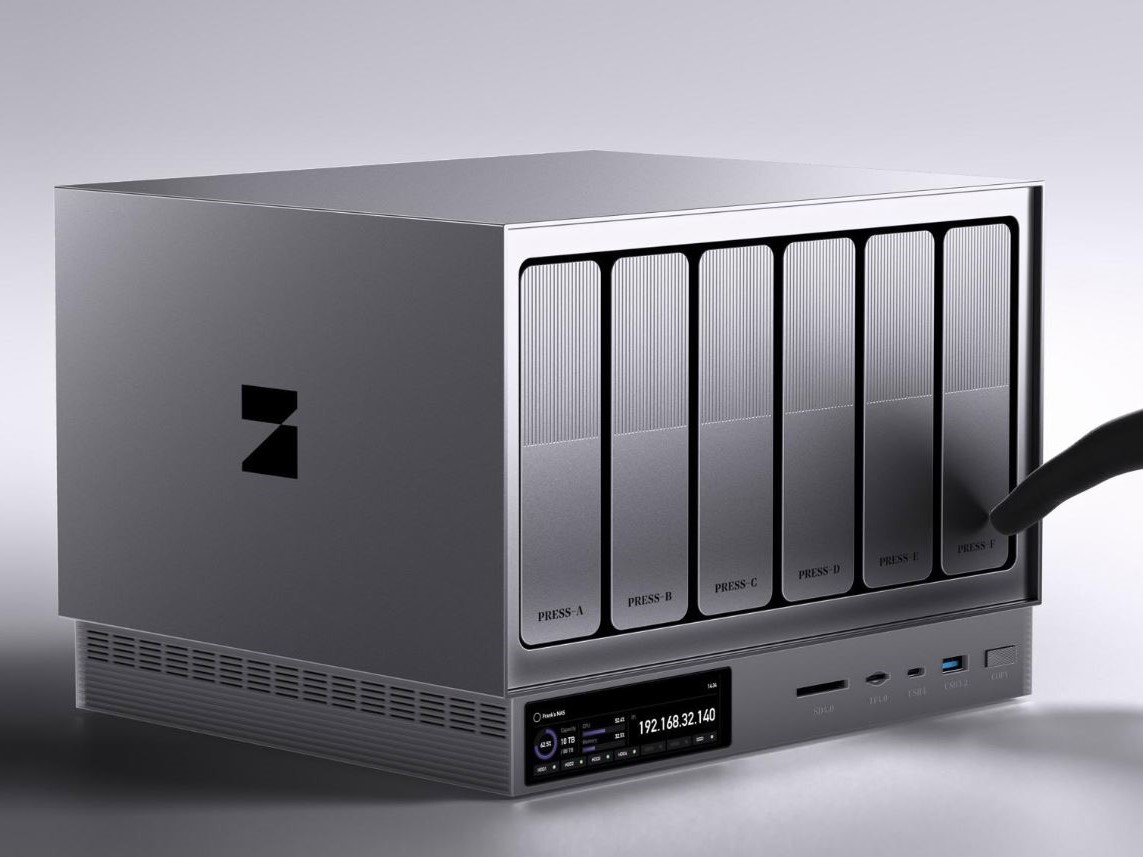
The Self-Hosted Journey: What I Learned Building My Home NAS
TL;DR: I backed the Zettlab 4-bay NAS and, while I’m a huge fan of their hardware and mission, I’ve found my stride using Docker containers for most tasks. If I were starting from scratch today, I’d likely build an UnRaid server on a gaming PC to consolidate my gaming and hosting into one machine.
My Must-Have Apps:
- Jellyfin (Video hosting)
- Navidrome (Music server)
- Immich (Photo backup)
- Audiobookshelf (Audiobook management)
- Tailscale & Cloudflare Tunnels (Security/Access)
The Hardware: Zettlab and the Community
I jumped into the deep end by backing the Zettlab D4 NAS, a fascinating newcomer featuring built-in machine learning. I truly love what the team is doing; the hardware is sleek, and the Zettlab Discord community is one of the most helpful groups I’ve found in the tech space.
Even though I’ve shifted toward running everything via Docker rather than the native ZettOS apps, I’m still closely following their progress. I’m especially excited to see how they leverage AI and automation tools on the machine as the platform matures. It’s a great piece of kit for anyone who wants a dedicated, community-driven device.
The "Do-Over" Plan:
While I love my D4, if I were doing this again from absolute zero, I’d consider using UnRaid on either an old gaming PC or even my current gaming desktop. With UnRaid, you can run a Windows Virtual Machine with hardware passthrough, meaning you can have a high-end gaming rig that also doubles as your 24/7 home server.
My Essential Self-Hosted Software Stack
The real power of a NAS comes from the services you host. Here is my current setup:
Media and Entertainment
- Video: Jellyfin is the best open-source alternative to Plex, with great apps for smart TVs and mobile.
- Music: I run Navidrome on the server paired with Arpeggio on iOS.
- Audiobooks: Audiobookshelf is the gold standard for self-hosted libraries.
Photos and File Sharing
- Photos: Immich is incredible for mobile backups. It isn't a photo editor like Adobe Lightroom, but for organizing phone libraries, it’s a must.
- Local Sharing: Snapdrop provides a lightweight way to share files across devices on your local network.
Infrastructure & Security (The Critical Stuff)
To make your NAS actually useful outside your house, you need these two tools:
Secure Remote Access with Tailscale
Tailscale creates a secure "intranet." It allows you to access your home network from anywhere as if you were on your home Wi-Fi, without the security risks of opening ports on your router.
Public Access with Cloudflare Tunnels
For services you want to share—like letting a friend access your Jellyfin library—Cloudflare Tunnels lets you map subdomains (e.g., media.yourdomain.com) to your NAS securely.
Migration: Moving TBs without the Headache
Moving away from Dropbox felt daunting until I used Rclone.
The Pro Tip (pro tip from me who enjoys UIs, I know all you command line people who call yourselves "pros" are going to balk, I see you but please calm down...): Install the Rclone UI on your desktop and the Rclone Docker container on your NAS. Connect your desktop UI to the NAS container. This gives you a transparent, visual way to manage transfers and set up cron jobs for automated backups. If you have SSH access to your NAS, running commands directly in the terminal is even faster, but the UI-to-Docker method is great for visibility.
For long-term safety, I use Rclone to sync my data to Amazon S3 Glacier for cheap "cold" storage, though Backblaze B2 is a great alternative for data you might need to grab more frequently.
Ready to ditch the cloud and take control of your data? Your first move should be auditing your current storage: list your most-used services (like Google Photos or Dropbox) and see if an open-source alternative like Immich or Jellyfin fits your workflow. If you have an old PC gathering dust, download the UnRaid trial and experiment with a basic array before investing in dedicated hardware. Self-hosting is a steep learning curve, but you don't have to climb it alone—reach out to me directly if you have questions about Docker configs, Rclone migrations, or securing your network. Let's get your home server up and running!
I’d love to hear what you think. If this post sparked an idea, a disagreement, or a “yes, exactly!” moment, come say hi on Bluesky. Bonus points if you bring a hot take.
Reply on Bluesky →